
Surviving Information Overload: How to Filter Your Substack Feed Without Losing Your Mind
Every creator I know has felt it—the constant buzz of unread newsletters, notifications stacking up, and a Substack feed that quietly balloons out of control. It’s easy to sign up for one more update, or two, or ten, until soon your inbox starts to look less like an inspiration board and more like a firehose you can’t turn off. Information overload isn’t some distant worry, it’s the reality for anyone trying to stay both informed and productive in 2025.
If you’re tired of losing entire afternoons sifting through a crowded feed, you’re not alone. The right mix of filtering and a little strategy can help you take back your attention, letting you focus on what matters most to your creative work—not just what lands in your inbox. Think of it as swapping out the background noise for the kind of updates you actually look forward to reading. Let’s get you set up for a calmer, more organized Substack experience, where your feed works for you, not the other way around.
Understanding the Causes and Impact of Information Overload
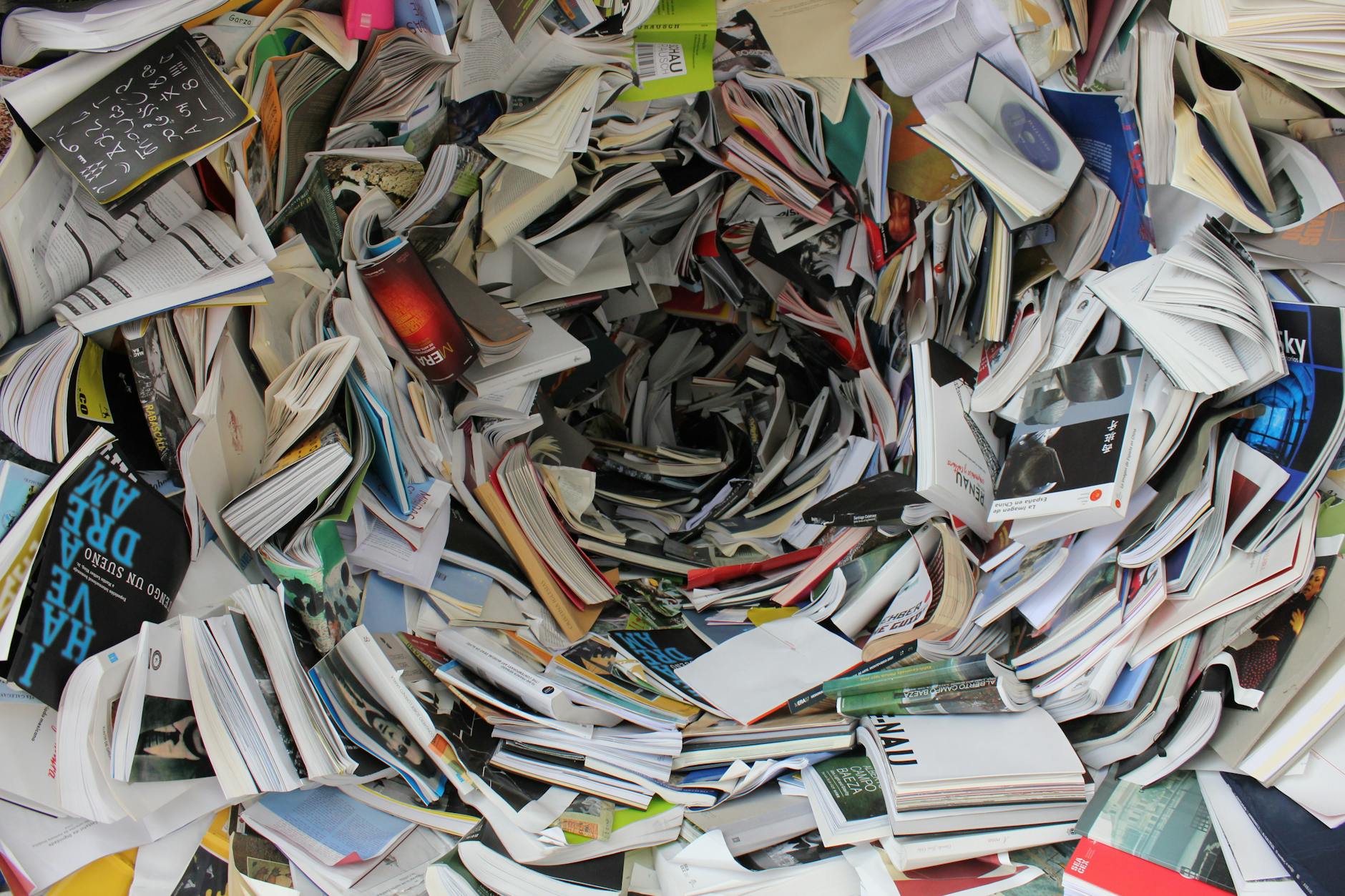 Photo by Pixabay
Let’s be honest: if you’re feeling buried under Substack newsletters, pinged with endless notifications, and barely keeping up with the latest must-read, you’re not alone. Information overload isn’t just a buzzword. It’s what happens when the stream of updates flooding your phone or inbox outpaces your brain’s ability to keep up, let alone care. Understanding why this happens—and what it does to us—can be the first power move in reclaiming your mental real estate.
What Triggers Information Overload Today
Our digital routines practically set us up for overload. Every app begs for your attention, and that temptation to subscribe to “just one more” newsletter is real. Here’s what usually piles on:
- Constant notifications: Apps and platforms want your eyes all day, every day, often with push alerts for things you don’t even care about.
- Newsletter overload: Signing up is easy, unsubscribing feels like a chore, and soon the “read later” pile is taller than your to-do list.
- Fear of missing out: Not opening something can make you feel out of the loop, even if it’s not valuable information.
- Lack of filters: When everything gets equal priority, your brain has to sort it all, leading to mental fatigue.
If you want to dive deeper into how these triggers work and ways people try to deal with them, check out this review on managing information overload in the workplace.
The Ripple Effects on Mental Health, Time, and Creativity
Too much information isn’t just annoying—it can change how you feel, work, and create. Here’s what overload does:
- Mental exhaustion: Your brain never gets to rest. That leaves you foggy, anxious, and frustrated—sometimes all at once.
- Lost time: Every extra minute sifting through noise is time you never get back, setting you up for endless catch-up.
- Reduced creativity: When your head’s packed with random input, there’s less space for your best ideas to come through.
- Worse decisions: With too many options, it’s easy to stall out or pick whatever’s fastest, not what’s best.
- Physical symptoms: Stress headaches, tired eyes, and “tech neck” are no joke when you’re glued to screens, as explained in research on information overload causes and consequences.
Here’s a quick table showing what happens when information builds up:
Overload TriggerCommon ImpactExample in Daily LifeDozens of unread emailsAnxiety, avoidanceIgnoring your inbox for daysToo many newslettersLoss of focus, guiltFeeling bad for “wasting” contentNonstop notificationsInterrupted workflowGetting sidetracked every ten minutes
When information starts to feel like background noise, it’s your mind’s way of raising a white flag. Simple steps—like smarter filtering and regular digital breaks—can help you cut the static and come back to what matters.
Want more on how overload hurts productivity and mental health? Read about the connection between digital overload and wellbeing at GoodRx’s mental health resource.
Audit and Prioritize: Laying the Foundation for a Healthy Feed
Chances are, your Substack feed didn’t balloon overnight. Subscriptions pile up quietly, like receipts in a junk drawer. Soon, each scroll through your inbox feels like rummaging for one important scrap in a sea of random papers. This section is your digital cleanup guide—helping you get honest about what matters, trim what doesn’t, and set up smarter habits so your Substack feels like a curated magazine, not rush-hour traffic.
Setting Personal Content Priorities
Trying to read everything means enjoying nothing. It helps to call out your “why” for each newsletter. Are you reading to stay current with news, seek inspiration, keep learning, or just unwind? When you sort your feed with intention, updates become friends—not intruders.
Here’s a quick way to filter what counts:
- Identify your main focus areas. Work, hobbies, learning, or connection. What are your top themes right now?
- Decide how you want to feel after reading. Energized? Informed? Entertained? Inspired?
- Set a practical time budget. Five minutes a day, or a deeper dive once a week—it’s your call.
If you need a bit more help, jot down a shortlist:
PriorityFeed ExamplesWhy It MattersNewsUpdates from your expertise or cityKeeps you relevant and in the loopInspirationCreative, personal-growth, or lifestyleFuels fresh ideas and moodLearningIndustry insights, deep dives, newslettersHelps skill building or curiosityEntertainmentHumor, stories, hobby-related outletsOffers relief and simple enjoyment
Pick what truly lights you up. If a newsletter doesn’t match your list, it’s probably background noise. Want more details about newsletter prioritizing? Check this guide from Benchmark Email on prioritizing newsletters.
Unsubscribing and Archiving Strategies
Slimming your Substack doesn’t mean burning bridges. Sometimes, it just means moving what isn’t working into storage—like boxing up old clothes you may want later. Here’s how to clean up without regret:
- Open your Substack subscriptions page. Take five minutes to scan your current feed.
- Unsubscribe ruthlessly from anything you haven’t opened in a month. Most platforms make this as easy as a click, but for stubborn cases, follow the advice in this step-by-step unsubscribe guide.
- Archive or mute newsletters that aren’t urgent but might still be useful. Think of archiving as your digital storage closet—accessible, but not in your face. Many apps allow for easy archiving, letting those newsletters rest quietly until you might want them again, as discussed in this Reddit thread on archiving newsletters.
- Mute frequent senders if you want to revisit later. This keeps your feed clear while keeping options open.
A few extra tips to keep your feed uncluttered:
- Batch your cleanups. Set a calendar reminder monthly or quarterly for “inbox maintenance.”
- Create folders or tags. Sort by topics so you can binge-read what matters, when you’re in the right headspace.
- Don’t feel guilty. Unsubscribing is not rejection, it’s self-respect. You’re clearing space for what counts.
Soon, you’ll find your feed shrinking and your focus sharpening. You’ll actually spot emails you want to open, not just scroll past. Isn’t that what you signed up for?
Practical Tools and Techniques for Filtering Your Substack Feed
Overflowing inbox? You’ve already cleared out some noise, but staying organized needs a few more tricks. This is where small tweaks can save your sanity and make sure the best Substack pieces actually reach you. With practical tools and a bit of setup, you can shape your feed into something you enjoy, not dread. Here’s how to make your Substack life easier.
Using Tags, Folders, and Filters
If you’ve ever lost track of a must-read newsletter, you know how easy it is to let good stuff slip through the cracks. Luckily, every major email provider offers tools to bring order back—filters, folders, and tags can do the heavy lifting.
- Create folders by topic or priority. If you follow newsletters on art, productivity, and tech, set up a folder for each. This way, you can read by mood or urgency instead of wading through a messy inbox.
- Set up automated rules. Gmail, Outlook, and other services let you build filters that sort incoming Substack emails. Whenever a message contains “substack.com,” your custom rule can move it to a specific folder, apply a color-coded label, or even mark it as read. This keeps your main inbox clear and puts newsletters where you actually want them.
- Tag for faster findability. Some tools let you tag emails—marking urgent reads, weekly favorites, or notes to revisit. With a quick search or one click, you can jump to the content you truly care about.
Here’s a simple set-up:
- Open your email settings and find the section for rules or filters.
- Set a rule that sorts incoming Substack emails (those with “@substack.com” in the address) into a newsletter folder.
- If possible, color code or add a tag like “Must Read” or “Inspiration.”
- Fine-tune as you go. Adjust folders or rules as your reading habits shift.
If you want more on the art of email filtering, see how others set up their inbox for optimal Substack management.
Getting notifications under control also helps. Adjusting what pops up—and when—can stop distractions before they start. See how with this quick guide to turning off or customizing Substack email notifications.
RSS Feeds and 3rd-Party Integrations
If you’re drowning in emails, consider leaving the inbox behind for good. That’s where RSS readers and 3rd-party tools come in. They gather all your Substack updates in one place, with no clutter and far fewer distractions.
Using an RSS reader is like building a personalized magazine stand. You pick what lands on the counter—and nothing else gets in. Here’s how it works:
- Subscribe to Substack newsletters via RSS. Most Substacks offer an RSS link in the footer or through settings. Add this link to a reader like Feedly, Inoreader, or NewsBlur.
- Centralize your reading. See all new posts in one clean, ad-free feed, separate from email. Scan headlines, star articles, and save stories for later.
- Integrate with productivity apps. Many RSS readers sync with services like Pocket, Notion, or even Zapier. Want to send your favorite deep dives to a Notion board or archive funny essays for weekend reading? With a little setup, it’s almost automatic.
This breaks the cycle of constant email checking and keeps newsletters from crowding your work messages. For those who want a deeper step-by-step, check out a detailed solution for moving newsletters out of your inbox and into a better workflow.
If you haven’t tried an RSS setup yet, it’s a game-changer for focus and mental clarity. It gives you room to read on your terms, not just whenever a new ping arrives.
Sorting and filtering don’t take a ton of time to set up, but the impact is huge. The right tools hand you the keys to a better, calmer reading experience. Instead of sifting through clutter, you’ll open your email or your reader and immediately find the updates that actually matter. Feels good, right?
Leveraging Automation and AI for Smart Content Curation
Sometimes, sorting through newsletters feels like searching for your favorite shirt in a messy closet. You want less mess, more “Oh, there it is.” That’s where automation and artificial intelligence can help. These tools do the sorting, the reading, and even the condensing for you. You save your brain power for the creative work that matters most. Let’s walk through how you can put AI and smart automation to work so you can finally feel in control of your Substack feed… and your inbox.
Automated Summaries and Highlights

Photo by Matheus Bertelli
Ever spend twenty minutes reading a newsletter, only to realize you picked up one good idea? That’s where AI-powered summarizers shine. These tools scan your emails or newsletters and shrink them down to the key stuff you actually want to see. In a few minutes, you can catch up on an entire morning’s worth of content. Think of it like a friend who reads everything first and only hands you the highlights.
Some creators use AI summarizers for a daily digest, others tap them for quick headlines or to spotlight trends. Here are some top picks:
- Summate.io: This tool turns every newsletter and article you follow into a bite-sized daily digest. Perfect for anyone who hates clutter but loves staying updated.
- There’s An AI for That: Summarize Newsletters: A directory of newsletter-specific summarizers. Browse options and pick one that fits your inbox style.
- Reddit’s Guide to AI Email Summarization: Real-life user experiences and prompt strategies, sharing what actually works when asking AI to review and condense your mail.
Prompt ideas for creators:
- “Summarize today’s email in 3 sentences.”
- “Highlight the three most important stories.”
- “What trends or topics keep showing up this week?”
The real win? You scan the summaries instead of the full inbox, and decide if anything deserves a deeper read. This keeps the volume down and the focus sharp.
Custom Email Rules and Scheduling
Let’s be real—sometimes the best tool isn’t smarter, just stricter. Even with AI, not everything deserves to reach your eyeballs right now. That’s where automated rules and scheduling step up. You control when and how high-priority newsletters hit your inbox. Everything else can wait for its turn in the queue.
Here’s how to get started:
- Batch by priority. Set rules so only key newsletters land in your main inbox during the workday. The rest? Shunted to folders, ready for batch processing during your chosen reading time.
- Schedule delivery. Build routines that push newsletters to certain days or times. Want to keep mornings clear for your own work? Delay non-urgent emails until late afternoon.
- Silence the noise. Use automated filters to mute senders who don’t always bring value, and sort incoming content by label, topic, or urgency.
A few steps to make it simple:
- Open your email settings and look for “rules” or “filters.”
- Add a rule: If from @substack.com, move to a custom “Newsletters” folder.
- Add a second rule for favorites: If the sender is on your VIP list, let it through. Otherwise, batch for later.
- Turn on scheduling or “bundling” (Gmail, Outlook, and other major platforms support these features).
Curious about deeper automation? Explore advanced tips in this roundup of top email automation software, which details cool features for creators who want to go further. Pair that with smart filtering advice from Loffler’s email best practices and you’ll cut hours of wasted scrolling in no time.
Automating your flow means fewer disruptions and makes space for real focus. It’s not just about less email—it’s about more room in your mind for creative work, problem-solving, or that quiet cup of coffee before your first call.
Building Sustainable Digital Habits Around Information Consumption
If you want a Substack feed that feels more like a curated bookshelf and less like an endless pile of papers, you’ll need habits as strong as your filtering tools. Clearing your feed is only half the job—what sticks is about the routines and boundaries you set. The real work comes in your day-to-day: knowing when to step away, how to focus when you’re on, and being honest with yourself about what belongs in your feed. Let’s get into practical steps for stronger digital habits, from protecting your attention to keeping your subscriptions in check.
Establishing Screen-Free and Deep Work Zones
 Photo by Mikael Blomkvist
Your mind needs time off, just like your body. The science is clear: taking regular screen breaks helps keep your focus sharp and your mental energy up. Cal Newport, the writer behind “Deep Work,” argues that even an hour or two of focused effort (away from pings and pop-ups) can get more done than a whole scattered day. Want proof? Check out this guide to deep work and productivity techniques.
Start small. Try this approach for stronger digital boundaries:
- Block time for deep work. Pick a window each day for zero distractions—no email, notifications, or browsing. Set a timer if you need help staying honest.
- Designate ‘screen-free’ zones. Maybe it’s your breakfast table, the walk to your favorite coffee spot, or one evening a week. Keep these spaces (and times) sacred.
- Take short, regular breaks. Follow the 50-10 rule: work for 50 minutes, rest your eyes and body for 10. Use this pause to stretch, make tea, or just stare out the window.
- Prep your phone and laptop. Silence notifications, close tabs, and keep just one app on the screen when in focus mode.
Want a bit more motivation? Many top creators credit deliberate rest and disconnect time for their most productive, creative work. Full breaks aren’t just good for your mind—they’re fuel for your best ideas. For more ideas on building in real rest, visit this article about disconnectivity and deliberate productivity.
Regularly Re-Evaluating Your Information Diet
Setting up filters and folders only goes so far if you never stop to check what’s actually coming through. Information that fed your curiosity a year ago might just drain your energy today. That’s why a regular “info audit” matters. Think of it as cleaning out your fridge—if you don’t toss the old and reset your list, things will start to spoil.
Here’s how to keep your digital diet healthy:
- Schedule quick check-ins. Once a month (or every quarter), spend ten minutes reviewing your subscriptions. Are you reading what you sign up for, or just hoarding?
- Match your subscriptions to your priorities. Whenever your work or personal interests shift, update your feed to follow.
- Archive or cut the noise. If newsletters make you feel guilty for not reading, or they’re just not helpful, let them go. Unsubscribing is a kindness to your future self.
- Try new sources—slowly. If you add, add thoughtfully. Give each new subscription a “trial” before it joins the regular rotation.
A quick audit can save you hours in the long run. For more on how to check and update your content sources (and why even the pros do this regularly), see these tips on content inventory and auditing basics.
Building these habits is about respect: for your time, your attention, and what truly inspires you. By blocking distractions and reviewing your info diet, you’ll stop the digital clutter before it starts—and build a feed that actually works for you.
Conclusion
A calmer, more intentional Substack feed starts with small choices—ones that put you back in control. You get to decide what earns a spot in your reading queue and what’s left behind. A few simple routines, a good filter, and honest check-ins can clear a surprising amount of mental space.
Treat your feed like a tool, not just a firehose. It should support your work and well-being instead of zapping your energy. Keep what sparks you, let go of the rest, and remember to take time away from screens.
You don’t have to read everything to get real value. Take back your attention, and see what fresh ideas start to show up. Your Substack feed can work for you—if you set the rules.
Thanks for sticking with this guide. I’d love to know your own tricks or struggles—drop a comment to share your favorite tip or biggest headache.
Ready to shape your feed into something that inspires you each day? Give it a try. Your focus will thank you for it.


